Last Updated: November 21, 2026
Quick Summary
Choose access control for a small business office by matching the system type to your needs: standalone keypad locks, cloud-managed systems, or on-premises systems. Buy for the office you will have in three years, checking scalability, credential options, schedules, audit trail, and remote management before you commit.
- Standalone keypad locks are cheapest to buy but weakest on reporting.
- Cloud-managed systems give remote management and logs with almost no IT burden.
- Walk every door and decide what each one needs before buying a single reader.
- Fire-alarm release is a life-safety requirement, not an option.
- Ask every vendor for the three-year total cost, not just the first invoice.
Table of Contents
- Why Small Business Offices Are Moving Beyond Keys
- How a Door Access Control System for Office Spaces Works
- Types of Access Control Systems and What Each One Costs
- What to Look for in a Small Business Access Control System
- How an Office Keycard Entry System Manages Users and Schedules
- Planning Your Commercial Door Access Control Installation
- Total Cost of Ownership: Hardware, Software, and Subscription Costs
- Power, Network, and Outage Planning Before You Install
- Privacy, Employee Notice, and Access-Log Retention
- When to Call BDS Locksmith for Your Office Access Control
- Frequently Asked Questions
Why Small Business Offices Are Moving Beyond Keys
A lost master key used to mean one thing: rekey every lock in the building. Access control for small business offices changes that math. When a credential goes missing, you revoke it in software and the door keeps working for everyone else.
That single shift explains why so many offices are retiring the key ring. Mechanical keys tell you nothing. They cannot show who entered at 9:14 p.m., cannot expire after a contractor’s job ends, and cannot be limited to one door. Small offices often outgrow keys long before they outgrow their lease.
The real driver is control, not gadgetry. A door access control system for office spaces lets you decide who enters, where, and when, then check the record afterward. Below, we walk through how these systems work, what each type costs in practice, and how to plan an install without overbuying.
How a Door Access Control System for Office Spaces Works
An access control system is the combination of hardware and software that decides whether a credential opens a specific door at a specific time. A reader scans the credential, a controller checks it against your rules, and an electronic lock releases only if the rules allow it.
The chain has four parts:
- Credential: the key card, fob, PIN, or phone that identifies a person
- Reader: the device at the door that reads the credential
- Controller: the brain that checks permissions and schedules
- Electronic lock: the strike or maglock that physically releases
Every entry writes a line to the access log. That log is the audit trail, and it is the feature most offices end up valuing most. When something goes missing from a supply room, you can see who badged in and when.
Types of Access Control Systems and What Each One Costs
Three system types cover nearly every small office: standalone keypad locks, cloud-managed systems, and on-premises systems. Each fits a different budget and a different level of technical appetite.
- Standalone keypad or keycard locks: no software, no network, one door at a time. Cheapest to buy, weakest on reporting.
- Cloud-managed systems: subscription software, remote management, logs you can pull from anywhere.
- On-premises systems: server and software on site, more control, more maintenance.
Pricing depends on door count, reader type, and whether wiring already exists. For current pricing and a quote for your office, visit the BDS Locksmith pricing page.
Cloud-Managed vs. On-Premises Systems
Cloud-managed access control runs your permissions through a vendor’s hosted platform. You add a user in a browser, and the door updates within seconds. On-premises systems keep that software on a server in your building.
The trade-off is simple. Cloud gives you remote management and real-time visibility with almost no IT burden. On-premises gives you independence from subscriptions and internet outages, at the cost of hardware upkeep and someone who knows the system.
For most small offices, cloud wins on day-to-day effort. If you want the deeper comparison, our team breaks down whether cloud-based access control is worth it for offices, including the questions to ask before signing a subscription.
Credentials: Key Cards, Fobs, PINs, and Mobile Access
Key cards and fobs remain the workhorses. They are cheap to replace, easy to hand out, and familiar to staff. PIN codes work well for shared doors and after-hours entry, though they get shared more freely than cards.
Mobile credentials are the fastest-growing option. A phone becomes the key, which means no lost fobs and instant revocation. The catch is that older readers may not support them, so plan mobile access at the reader stage rather than retrofitting later.
Here is how the three main system types compare on management and reporting.
| System type | Management | Key trade-off |
|---|---|---|
| Standalone keypad or keycard locks | No software, no network, one door at a time | Cheapest to buy, weakest on reporting |
| Cloud-managed systems | Subscription software, remote management, logs from anywhere | Remote visibility with almost no IT burden |
| On-premises systems | Server and software on site | Independence from subscriptions, more maintenance |
What to Look for in a Small Business Access Control System
Buy for the office you will have in three years, not the one you have today. A small business access control system should handle growth without a forklift upgrade.
Check these features first:
- Scalability: can it add doors and locations without replacing the controller?
- Credential options: cards, fobs, PINs, and mobile on the same reader
- Schedules: time-based rules for staff, cleaners, and contractors
- Audit trail: exportable logs with retention settings you control
- Integrations: video surveillance, alarm systems, and HR software
- Remote management: add or revoke access without driving to the office
A common mistake is buying on price per door and ignoring the software. The hardware is a one-time cost. The subscription and the admin time are what you live with.
How an Office Keycard Entry System Manages Users and Schedules
An office keycard entry system turns user management into a short list of clicks. New hire? Assign a credential and a schedule. Employee leaves? Revoke it and the card is dead at every door.
Schedules do the quiet work. Set office hours for general staff, a narrower window for cleaning crews, and a separate rule for the server room. Visitor access can be time-limited to a single day.
Credential revocation is the feature that pays for itself. With keys, a departed employee keeps a copy you cannot see. With cards, you deactivate the credential and the audit trail shows every door it touched.
Some offices pair electronic entry with a mechanical master key system for backup or for doors that stay off the network. If that is your plan, our guide to master key system installation explains how the two approaches fit together, and we cover whether master key systems improve office security for teams weighing both.
Planning Your Commercial Door Access Control Installation
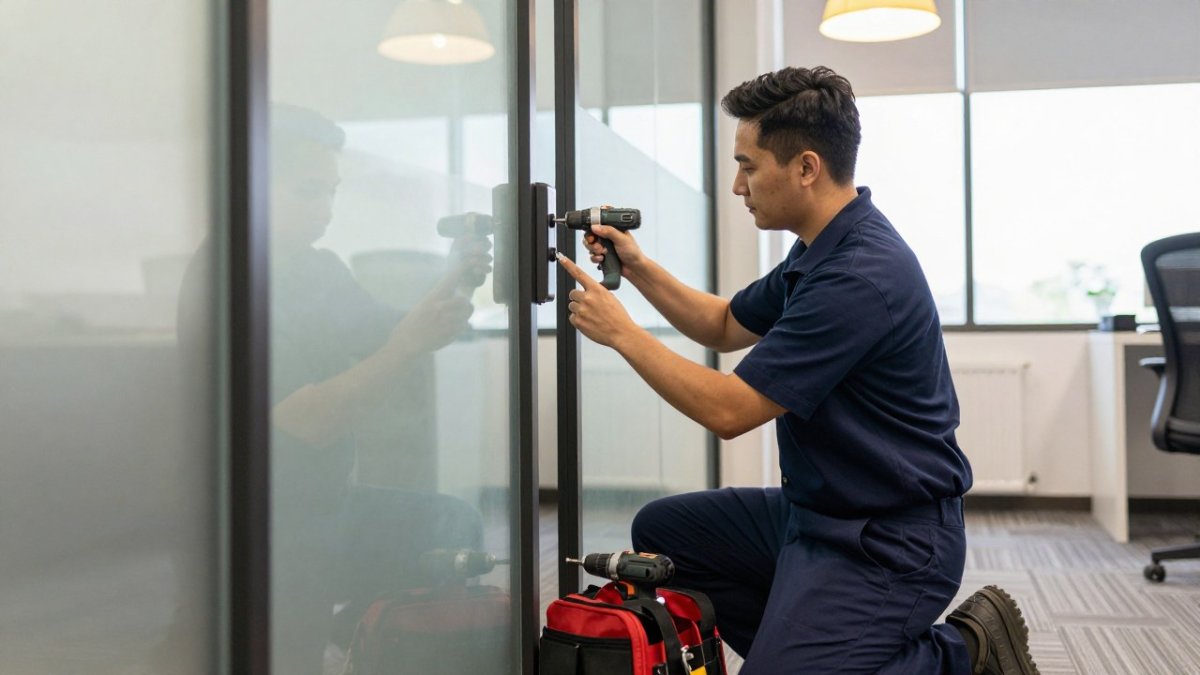
Good commercial door access control installation starts with a walkthrough, not a quote. Walk every exterior and interior door and decide what each one needs before you buy a single reader. But a walkthrough is only the first step. The offices that avoid disruption are the ones that plan the full sequence, from door survey to staff enrollment to cutover, before any hardware arrives. That sequence also makes it easier to compare access control systems for offices against the doors, staff routines, and cutover plan they must support.
A Door-by-Door Walkthrough Checklist
Use this list on the walkthrough and note the answer for each door:
- Is the door an exterior entry, interior office, or restricted room?
- Does it already have power, or will wiring be needed?
- Is there network access at the frame for a cloud system?
- Does it need a request-to-exit sensor and a push button?
- Does it require ADA-compliant hardware and clear opening width?
- Does it need to release automatically on fire alarm?
- Who needs access, on what schedule?
- Is a mechanical key still needed as backup?
Two items on that list get skipped and later cause trouble. Fire-alarm release is a life-safety requirement, not an option, and accessibility hardware must meet local code. Confirm both with your installer before signing off on the design.
A Step-by-Step Implementation and Migration Plan
Once the walkthrough is done, the install itself follows a predictable sequence. Skipping steps is how offices end up with doors that lock people out or credentials that do not work on day one.
- Finalize the door schedule. For each door, record the credential type, lock failure mode, schedule, and whether it needs request-to-exit. This document is what the installer programs against.
- Order hardware and confirm lead times. Readers, controllers, and locks may ship at different times. Confirm what arrives when so you can phase the work.
- Pre-wire and prep doors. Run cabling, install request-to-exit sensors, and prep frames before mounting readers. Doing this first keeps the later steps fast.
- Install controllers and readers. Mount and address controllers, connect readers, and verify each door locally before connecting to the network or cloud platform.
- Configure software and schedules. Create user groups, set office-hours and after-hours schedules, and define who can administer the system.
- Enroll staff and issue credentials. Enroll in batches, not all at once. Issue cards or mobile credentials, and have each person test their credential at their primary door.
- Test every door and every failure mode. Test normal entry, request-to-exit, fire-alarm release, and power failure. Confirm fail-safe doors release and fail-secure doors stay locked as designed.
- Cut over from keys. Pick a cutover date and communicate it. Keep mechanical keys working on non-controlled doors during the transition, and collect or disable old credentials on a set schedule.
- Train admins and document. Show at least two people how to add, remove, and audit users. Write down the admin contacts and the retention policy.
- Review after 30 days. Check the access logs, adjust schedules that are too tight or too loose, and remove any temporary credentials issued during the transition.
Watch out: cutting over all doors on the same day without testing fire-alarm release and power-failure behavior first is the most common way an install turns into an emergency call. Phase the cutover if you can.
For a region-specific planning resource, our commercial access control buyer’s guide covers what South Bay offices typically need to specify.
Total Cost of Ownership: Hardware, Software, and Subscription Costs
The sticker price per door is only part of the bill.
Hardware covers readers, controllers, electronic locks, and request-to-exit devices. Pricing varies by reader type, lock style, and door requirements. For current pricing, visit the BDS Locksmith pricing page or request a free estimate.
Installation covers wiring, door prep, and programming. Labor varies with door construction and whether power or network cabling already reaches the frame. A free estimate can give you an exact figure for your doors.
Subscription costs recur monthly or yearly, usually per door or per user. Ask for the full multi-year cost of any system before you commit. On-premises systems trade that subscription for a server, software license, and someone to maintain it.
Operating costs include replacement credentials, occasional service calls, and the staff time to add and remove users. That admin time is real: if a manager spends 30 minutes a week managing credentials, that is 26 hours a year you should count.
When comparing systems, ask every vendor for the three-year total cost rather than just the first invoice. A simple standalone keypad lock costs less upfront but offers no central logs or remote management, so compare what each option gives you for its price.
A common mistake is budgeting for hardware and forgetting the subscription and the admin time. Ask every vendor for the three-year total, not the first invoice. BDS Locksmith offers free estimates so you can see the full picture before committing. Call (408) 300-4369 to schedule a walkthrough.
Power, Network, and Outage Planning Before You Install
An access control system is only as reliable as its power and network. Plan both before installation, or you will discover the gaps during your first outage.
Ask three questions:
- What happens on a power failure? Fail-safe locks release when power drops; fail-secure locks stay locked. Choose per door based on life safety.
- Is there battery backup? A backup supply keeps controllers and locks running through short outages.
- What happens if the internet drops? Cloud systems should keep local decisions running at the door and sync when the connection returns.
Watch out: a fail-secure lock on a main exit without a backup supply can trap people during an outage. Match every lock’s failure mode to the door’s life-safety role.
Privacy, Employee Notice, and Access-Log Retention
Access logs are personal data. They show when a named employee arrived, left, and which rooms they entered. Treat them with the same care as any other personnel record.
Tell employees what is collected and why, in writing, before the system goes live. Keep the notice plain: which doors are monitored, what the logs record, and who can review them. Many offices find a short policy signed at onboarding prevents most friction.
Set a retention period and stick to it. Keeping logs forever creates risk with no benefit. Decide who has admin rights, review that list quarterly, and remove access the day someone changes roles.
When to Call BDS Locksmith for Your Office Access Control
If your office is still running on keys, or your current system cannot tell you who entered last night, it is time for a professional walkthrough. BDS Locksmith provides commercial access control and master key services in the South Bay Area, with mobile on-site service.
BDS Locksmith is licensed, bonded, and insured, and offers same-day service, free estimates, and a 5% military discount. Benjamin, our owner and operator, has helped thousands of Bay Area customers out of tough spots.
Get started with BDS Locksmith and secure your office with a system you can actually manage. Call (408) 300-4369 or read our guide to hiring a commercial locksmith for your business to know what to ask before you hire.
Your office doors are either working for you or working against you. If you cannot revoke a credential in seconds or pull a clean entry log, the system is costing you more than it shows. BDS Locksmith designs, installs, and services access control for small offices with free estimates, same-day availability, and licensed, bonded, and insured technicians. Get started with BDS Locksmith and put every door under real control.
Frequently Asked Questions
What are the four types of access control?
The four main types are discretionary, mandatory, role-based, and rule-based access control. For a small office, the practical version is role-based: each employee gets a credential tied to the doors and hours their job requires. A receptionist might open the front door and supply closet from 8 a.m. to 5 p.m., while a manager has wider access. This keeps permissions tidy and makes it simple to revoke access when someone leaves.
How much does access control cost for a small business?
Costs depend on door count, lock hardware, reader type, and whether you choose cloud or on-premises management. A single-door keypad setup costs far less than a multi-door networked system with mobile credentials. Cloud systems add a monthly subscription per door or per user. BDS Locksmith provides free estimates and current pricing on its website, so you can get an exact figure for your office before committing.
Can small business access control systems be managed remotely?
Yes. Cloud-managed access control lets you add or remove employees, adjust schedules, and review entry activity from a phone or laptop. You can revoke a lost key card within minutes instead of rekeying every lock. On-premises systems can also be managed remotely if they are networked, but they require a server on site. For owners who travel between locations, cloud management usually saves the most administrative time.
How does an office door access control system work during a power outage?
Most commercial door access control installation includes battery backup for the controller and readers, plus fail-safe or fail-secure lock behavior chosen per door. Fail-safe locks release during an outage so people can exit, while fail-secure locks stay locked. Fire code requires free egress regardless of system state. Plan which doors must stay operable and confirm backup battery runtime with your installer before the system goes live.