Last Updated: November 19, 2026
Quick Summary
Choosing multi tenant building access control solutions starts with mapping your doors, then matching readers, controllers, and electronic locks to how each space is used. Cloud-based systems suit most multifamily properties because credentials can be revoked remotely the moment a lease ends. Compare bids by per-opening hardware, installation, software, and support costs.
- Readers capture the credential, controllers check permissions, and electronic locks release the door.
- Key fobs can be deactivated instantly at turnover without a locksmith touching the lock.
- Build permissions around roles so new residents and staff drop into existing permission sets.
- Revoke credentials the same day a lease ends or an employee leaves, tied to a documented workflow.
- Doors along a means of egress must release on the fire alarm and allow free exit at all times.
Table of Contents
- How Multi Tenant Building Access Control Systems Work
- Credential Options: Mobile, Key Cards, Key Fobs, PINs, and Biometrics
- Key Fob Access Control for Apartments and Tenant Suites
- Tenant Access Management: Permissions, Turnover, and Revocation
- Visitor Management for Multi-Tenant Buildings: Guests, Deliveries, and Vendors
- Securing Shared Entrances, Common Areas, Garages, and Gates
- Multi-Tenant Building Access Control System Cost: What Drives the Price
- Implementation Plan: From Site Assessment to Launch
- Comparing Solution Types: Pros, Cons, and Who Each Fits
- Planning Your Access Control Upgrade with BDS Locksmith
- Frequently Asked Questions
How Multi Tenant Building Access Control Systems Work
Choosing multi tenant building access control solutions starts with understanding what the system actually does: it decides who gets through which door, when, and leaves a record of every entry. The same principle governs every property a locksmith walks into. One lost key should never mean re-keying an entire apartment complex.
The architecture matters more than the brand name on the box.
Core Components: Readers, Controllers, and Electronic Locks
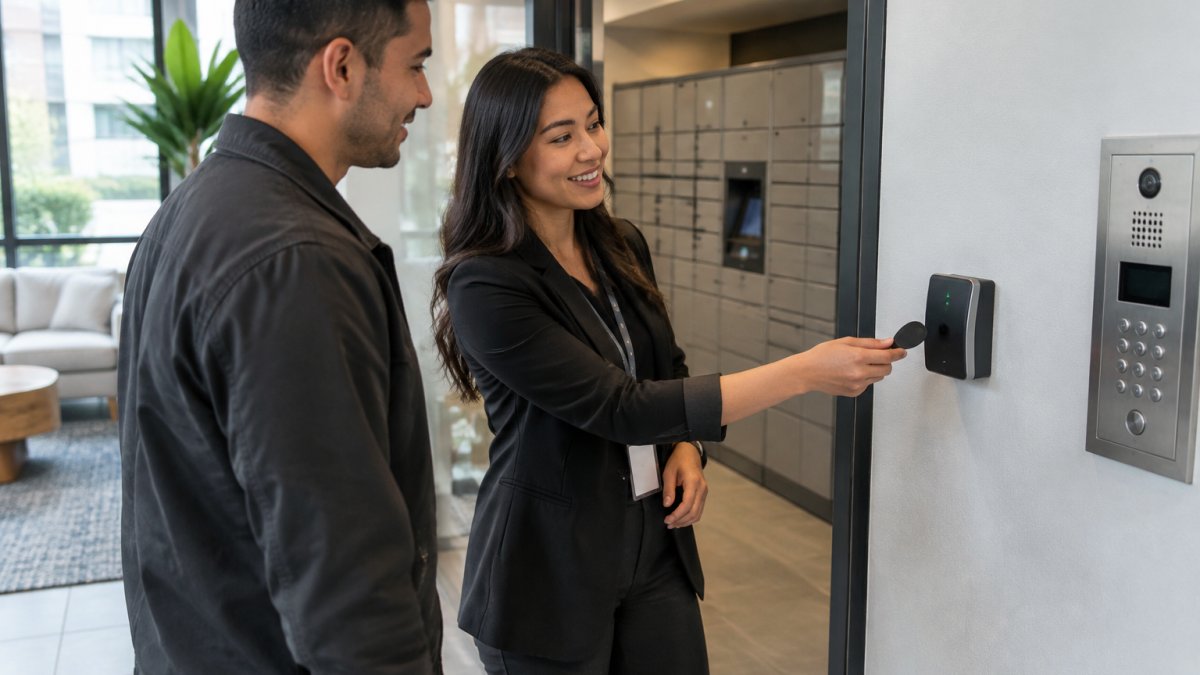
Every system has three working parts. Readers capture the credential, whether that is a key card, fob, phone, PIN, or fingerprint. Controllers check that credential against the permission list and decide whether to unlock. Electronic locks do the physical work, releasing a strike or retracting a bolt.
A common mistake is buying readers before mapping the doors. The controller is the brain, and it caps what the system can do later.
Cloud-Based vs. On-Premises Systems
Cloud-based access control puts the permission database on a hosted server, so a property manager can add or revoke a tenant credential from a phone. On-premises systems keep that database on a local server inside the building.
Cloud wins on remote management and audit trails. On-premises wins when internet service is unreliable or the owner wants no recurring subscription. For most multifamily properties, cloud is the easier long-term bet.
Credential Options: Mobile, Key Cards, Key Fobs, PINs, and Biometrics
Mobile credentials are the fastest-growing option for apartment complexes, and for good reason: residents already carry a phone, and a digital credential can be revoked the moment a lease ends. The tradeoff is that phones die, and a dead phone at a locked door is a support call.
Each credential type fits a different building:
- Mobile credentials: Best for market-rate multifamily and office tenants who expect smartphone access.
- Key cards: Cheap to replace, easy for staff and vendors, but easy to share.
- Key fobs: Durable and simple for garage and gate access, covered in more detail below.
- PIN codes: Useful for shared spaces and deliveries, though codes leak over time.
- Biometrics: Strong for high-security tenant suites, but slower to enroll and harder to retrofit.
Before committing to mobile, it is fair to ask are smart locks safe for apartments and how they hold up under daily use. We would rather answer that before installation than after.
Key Fob Access Control for Apartments and Tenant Suites
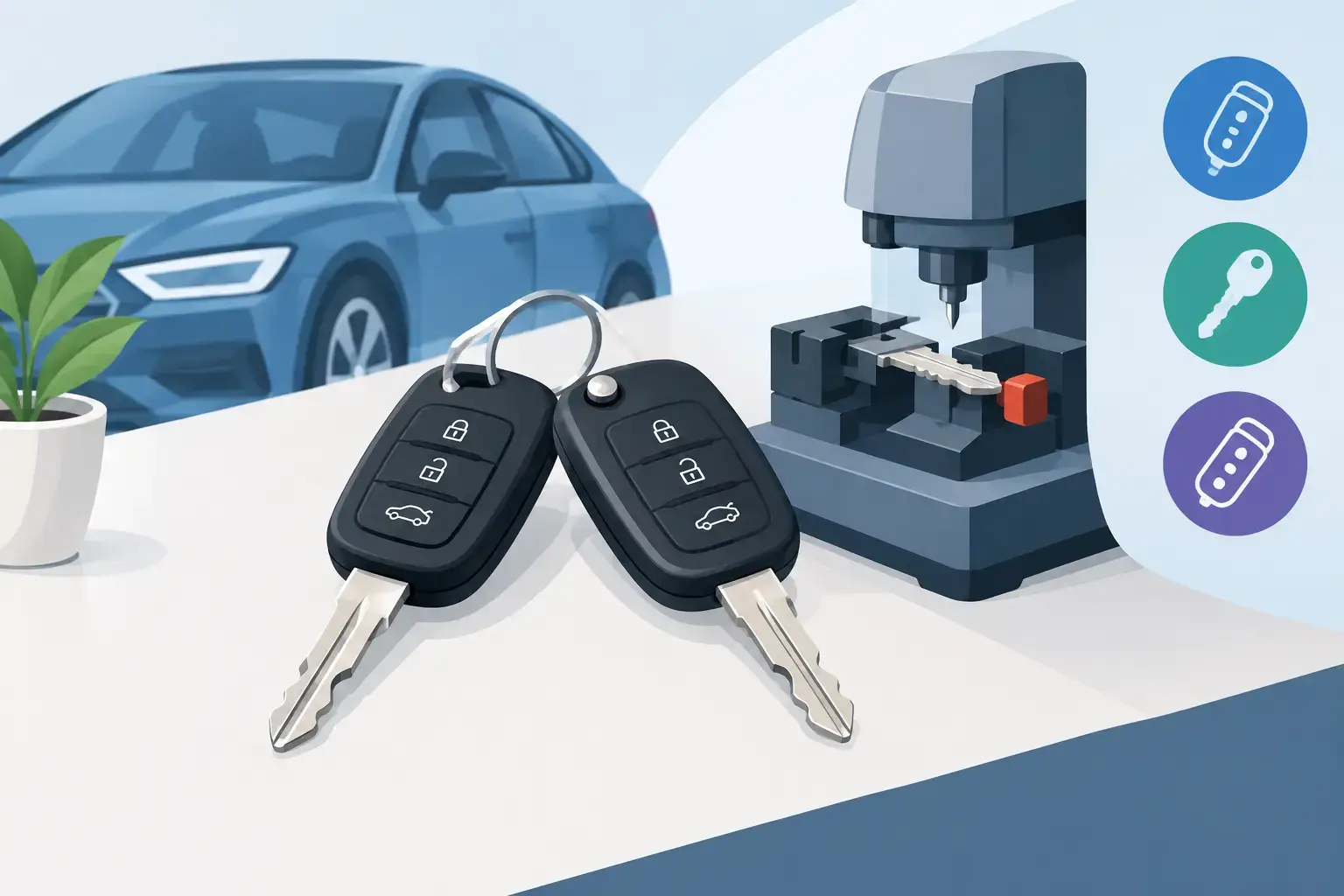
Key fob access control for apartments remains the workhorse of tenant access management. A fob is cheap, waterproof, and simple enough that a new resident understands it in seconds. For garage access, storage rooms, and building entries, few credentials hold up better.
The real advantage shows up at turnover. A fob can be deactivated in the system instantly, so a departed tenant’s credential stops working without a locksmith touching the lock.
Watch out: fobs get cloned and passed between friends. If a building hands out fobs without tracking serial numbers, nobody can tell whose credential opened the door at 2 a.m.
Tenant Access Management: Permissions, Turnover, and Revocation
Tenant access management is the daily work of any multi-tenant building access control system. In a building with multiple organizations sharing infrastructure, the hard part is not issuing a credential. It is keeping each tenant’s people, schedules, and data separated while still giving property staff the visibility they need.
Role-Based Permissions That Actually Hold Up
Permissions should be built around roles, not individuals. A resident role gets their unit, the main entry, and shared amenities. A vendor role gets the loading dock and nothing else. A cleaning contractor gets after-hours access to common areas but never to tenant suites. A property manager gets administrative access to the system but not to the interior of any leased space.
The test is whether a new hire or a new resident can be dropped into the right role without a custom permission set. If every tenant requires a bespoke configuration, the system will drift out of control within a year.
Tenant Separation and Privacy
In buildings where multiple organizations share infrastructure, tenant separation is both a security and a privacy requirement. Access logs for a tenant’s suite should be visible to that tenant’s designated administrator and to property management, not to other tenants. Credential databases should be segmented so that one tenant’s employee list is not exposed to another tenant’s administrator.
A common pattern is a two-tier administrator structure: a property-level super administrator who manages building-wide access and tenant-level administrators who manage only their own people and doors. That structure limits the blast radius of a compromised account and makes audits tractable.
Watch out: if tenant administrators can see or edit other tenants’ credentials, a single misconfigured role can expose one organization’s access patterns to another.
Turnover, Revocation, and Audit Trails
Turnover is the test of any tenant access management process. When a lease ends or an employee leaves, the credential should be revoked the same day, not when someone remembers. The reliable way to do this is to tie revocation to a documented workflow: a move-out checklist that includes credential deactivation, a termination notification that triggers revocation, and a weekly audit report that flags active credentials with no matching lease or employment record.
Audit trails turn that from a guess into a record. Every credential issuance, permission change, and revocation should be logged with a timestamp and the administrator who made the change. Review those logs on a fixed schedule, not only after an incident.
Permission Governance Across Multiple Organizations
Governance is the set of rules that keeps permissions from drifting. Write down who can grant access to which doors, who can revoke it, and who reviews the logs. Define a schedule for access reviews, such as quarterly for tenant administrators and monthly for high-security areas. Require dual approval for access to sensitive spaces like server rooms, mailrooms, and garage control rooms. Clear approval and review rules also depend on consistent commercial access control and door hardware, so permissions remain aligned with the physical entry points they govern.
Some owners pair electronic control with a master key system to cover mechanical doors the electronics miss. If that is your plan, this guide on master key system installation explains how the two fit together.
Visitor Management for Multi-Tenant Buildings: Guests, Deliveries, and Vendors
Visitor management for multi-tenant buildings is the part residents judge hardest. An intercom system that fails during a dinner party leaves a bad impression that outlasts the hardware.
A workable setup handles three flows separately:
- Guests: A resident-issued temporary PIN or a call from the intercom.
- Deliveries: A package room or vestibule with its own reader, so couriers never need a unit key.
- Vendors: Time-limited credentials that expire at the end of the scheduled window.
The goal is simple: nobody props a door open because the system is too much hassle.
Securing Shared Entrances, Common Areas, Garages, and Gates
Shared spaces carry the most risk in any commercial building or apartment complex. A propped lobby door defeats every credential downstream. Garage and gate access deserve the same scrutiny, since a tailgating driver slips in behind a resident without ever showing a credential.
Shared entries can benefit from readers, door position sensors that flag a door left open, and video surveillance tied into the alarm integration. For the physical hardening side, these ways to secure exterior doors against break-ins cover the door and frame work that electronic access depends on.
Multi-Tenant Building Access Control System Cost: What Drives the Price
Multi-tenant building access control system cost depends on several variables, including the number of entry points, the credential type, whether wiring is new or existing, and whether the system is cloud or on-premises. Pricing depends on project scope, so request a free estimate for current pricing from the BDS Locksmith website.
The Cost Categories Buyers Usually Miss
Most quotes cover hardware and installation. The costs that surprise owners later fall into five categories:
- Hardware per opening: reader, controller, electric strike or maglock, request-to-exit device, and door position sensor. A single controlled opening typically requires all five.
- Installation and wiring: labor to mount hardware, run cable, and terminate connections. Retrofits into masonry or historic doors cost more than hollow metal frames.
- Software and subscriptions: cloud systems carry a recurring per-door or per-credential fee. On-premises systems carry a server, licensing, and maintenance cost instead.
- Credential replacement: fobs and cards are consumables. Budget for lost and replacement credentials as an ongoing line item, not a one-time purchase.
- Support and lifecycle: service contracts, firmware updates, and eventual hardware replacement. Readers and locks have a finite service life, and the replacement cycle should be in the budget from day one.
A Procurement Comparison Framework
When comparing bids, ask each vendor to break the price into the same categories so the numbers are comparable. Require a per-opening hardware cost, a per-opening installation cost, a first-year software cost, a renewal software cost, and a stated support term. A bid that bundles everything into one number is harder to compare and easier to inflate later.
Ask three questions of every proposal:
- What happens to the price when we add a door in year two?
- What is the cost to replace a lost fob or card, and who stocks them?
- What is the expected service life of the readers and locks, and what does replacement cost?
Total Cost of Ownership Over Five Years
A five-year view usually changes the decision. A cloud system with a low upfront price can cost more over five years than an on-premises system with a higher upfront price, depending on door count and subscription terms. The reverse is also true when the on-premises system requires a server, IT support, and periodic hardware refresh.
A five-year comparison can be useful when weighing upfront cost against subscriptions, credential replacement, support, and expected hardware replacement. For a step-by-step method to budget the project, see how to estimate the cost of upgrading to high security locks.
BDS Locksmith offers free estimates.
Implementation Plan: From Site Assessment to Launch
A clean rollout follows a fixed sequence, and skipping steps is how projects stall. Here is the plan we use:
| Phase | What Happens | Typical Duration |
|---|---|---|
| Site assessment | Walk every entry point, check wiring and door hardware | 1-3 days |
| Design | Map credentials, permissions, and reader placement | 1 week |
| Procurement | Order readers, controllers, locks, and credentials | 2-4 weeks |
| Installation | Mount hardware, run wiring, configure controllers | 1-2 weeks |
| Testing | Verify every door, credential, and audit log | 2-3 days |
| Launch and training | Hand over admin access, train property staff | 1 day |
Cybersecurity, Resilience, and Failure Planning
A networked entry system is a computer on a door, so treat it like one. Change default passwords, keep firmware current, and give admin access only to staff who need it. Role-based permissions and audit trails limit the damage if an account is compromised.
Failure planning matters just as much. Ask what happens when the internet drops or the power fails. Battery-backed locks and a documented manual override keep a building usable during an outage.
Accessibility, Fire Safety, and Compliance
Electronic access must never block a required exit. Doors along a means of egress need hardware that releases on the fire alarm and allows free exit at all times. Standards for this come from the NFPA 101 Life Safety Code and the ADA Standards for Accessible Design, and local code officials have the final word on any opening.
Accessibility also means reachable readers and clear approach space for wheelchair users. Build that into the design, not the punch list.
Comparing Solution Types: Pros, Cons, and Who Each Fits
No single solution fits every property, and honest comparisons beat sales pitches. These are the four types we see most often in the field.
- Cloud-based access control: Remote management and real-time monitoring. Downside: monthly fees and dependence on the network. Best for multifamily and managed commercial buildings.
- On-premises systems: No subscription and full local control. Downside: limited remote access and a server to maintain. Best for single-owner buildings with reliable staff on site.
- Standalone electronic locks: Fast to install and inexpensive per door. Downside: no central audit trail. Best for small properties and individual tenant suites.
- Intercom-integrated entry systems: Strong visitor management. Downside: higher cost and more wiring. Best for buildings with heavy guest and delivery traffic.
For a deeper buyer comparison, this commercial access control buyer’s guide lays out the trade-offs in more detail. Our view: cloud-based systems win for most multi-tenant properties, because revocation speed matters more than saving on a subscription.
Planning Your Access Control Upgrade with BDS Locksmith
BDS Locksmith is a licensed, bonded, and insured mobile locksmith team, and we come to your property with free estimates and same-day availability. Our team handles commercial access control and master key systems, arrives on site, and aims to access property without damage. Benjamin, our owner and operator, has helped thousands of Bay Area residents out of tough lockout situations.
If you are weighing multi tenant building access control solutions for a property, call (408) 300-4369 and we will walk your doors with you.
Your tenants will judge the building by how smoothly they get through the front door. Get the credentials, permissions, and door hardware right and the system runs quietly for years. Get them wrong and every lockout becomes your problem. BDS Locksmith provides free estimates, competitive pricing, and on-site service across the South Bay, with 24/7 emergency response when a door fails. Get started with BDS Locksmith and secure your property with a system built for how the building actually runs.
Frequently Asked Questions
How does access control work in a multi tenant building?
A multi tenant access control system connects readers at each entry point to a controller and management software. Tenants receive credentials such as key fobs, key cards, mobile credentials, or PIN codes tied to their unit and shared spaces. The system checks each credential against role-based permissions, logs the entry, and can restrict access by time of day. Property managers administer everything from a centralized dashboard, which makes tenant turnover, credential revocation, and audit trails far easier than rekeying mechanical locks.
Can one access control system support multiple tenants with separate permissions?
Yes. Role-based permissions let you assign each tenant access to their own suite, shared entrances, and amenities like a gym or garage while keeping other floors and units off limits. A good tenant access management setup separates credentials by unit, supports time-based schedules, and keeps an audit trail of every entry. When a tenant moves out, you revoke their credential in the software instead of rekeying hardware, which protects the next resident and saves on locksmith visits.
What drives multi tenant building access control system cost?
Pricing depends on the number of entry points, credential type, whether you choose cloud-based or on-premises software, and how much existing wiring you can reuse during a retrofit. Mobile credentials and video intercoms add capability but raise the upfront figure, while subscription software shifts cost to a monthly fee. For current pricing, request a free estimate from the BDS Locksmith website.
How do you manage lost credentials and tenant move-outs?
Revoke the credential in the management software the moment a fob, card, or phone is reported lost or a tenant moves out. The system then rejects that credential at every reader, and you issue a replacement tied to the same permissions. For key fob access control for apartments, keep a documented issuance log so you know which fob belongs to which unit. Pair revocation with a walkthrough of shared entrances and a fresh audit log review to confirm no unauthorized entries occurred.