Table of Contents
- How Long Does a Lock Installation Take: Quick Time Estimates
- How Long Does It Take to Install a Deadbolt
- How Long Does It Take to Install a Smart Lock
- Factors Affecting Lock Installation Time
- How to Install a Door Lock: Step-by-Step Timeline
- Step 1: Assess the door and existing hardware (5-10 minutes)
- Step 2: Remove the old lock or prepare for retrofit (5-15 minutes)
- Step 3: Drill holes if required (10-20 minutes)
- Step 4: Install the lock cylinder and hardware (10-15 minutes)
- Step 5: Test and align the lock (5-10 minutes)
- Where the time actually goes: fitting versus setup
- Safety and quality checks after installation
- Retrofit Installation Versus Full Replacement: Time Differences
- Door Preparation and Drilling: How They Affect Installation Time
- Professional Installation Versus DIY: Time and Quality Considerations
- Preparation Checklist for Faster Lock Installation
- Frequently Asked Questions
Last Updated: October 19, 2026
How Long Does a Lock Installation Take: Quick Time Estimates
How long does a lock installation take? The answer depends on what you’re doing. A simple retrofit on an existing door takes 15 to 30 minutes. A full replacement with new drilling can take 45 minutes to two hours. Smart locks add another 15 to 30 minutes for app setup after the physical installation is complete.
At BDS Locksmith, we’ve handled thousands of residential and commercial lock installations across the South Bay Area. The timeline varies based on your specific situation, and understanding these factors helps you plan accordingly.
Most homeowners underestimate installation time because they focus only on the physical lock swap. What they miss is the preparation work, door condition checks, and testing that make the difference between a quick job and one that stretches into hours.
Here’s what affects your timeline:
- Lock type (standard, deadbolt, or smart)
- Whether you’re retrofitting or replacing
- Door condition and existing hardware
- Number of cylinders needed
- Drilling requirements
- Configuration and testing time
The rest of this guide breaks down realistic timelines for each scenario so you know exactly what to expect.
How Long Does It Take to Install a Deadbolt
A deadbolt installation typically takes 30 to 60 minutes for a standard retrofit. If you’re replacing an existing deadbolt on the same door, expect 20 to 40 minutes. A full replacement with new drilling can reach 90 minutes.
Deadbolt retrofit timing
Retrofitting a deadbolt means installing it alongside your existing lock without drilling new holes. This is the fastest option. You’re working with existing hardware, so preparation is minimal.
The process takes about 15 to 30 minutes for most doors. You remove the old deadbolt, check the door frame alignment, install the new cylinder, and test the fit. No drilling. No surprises.
Common delays:
- Stuck or corroded old hardware
- Misaligned door frames
- Damaged strike plates
- Paint or caulk sealing the old holes
Deadbolt replacement on existing hardware
Replacing a deadbolt on the same hardware means the holes are already there. You’re just swapping the cylinder and adjusting as needed.
This takes 20 to 40 minutes. Remove the old lock, install the new one, check alignment, and test. If the door has settled or the frame has shifted, you might need to adjust the strike plate or shim the frame.
Factors that slow this down:
- Rusted bolts or screws
- Misaligned strike plates
- Door frame settling over time
- Hardware incompatibility
How Long Does It Take to Install a Smart Lock
Physical installation of a smart lock takes 30 to 60 minutes. App setup and configuration add another 15 to 30 minutes. Total time: 45 minutes to 90 minutes.
Physical installation of smart lock
Smart locks mount on existing deadbolt hardware in most cases. The physical installation is similar to a standard deadbolt retrofit or replacement.
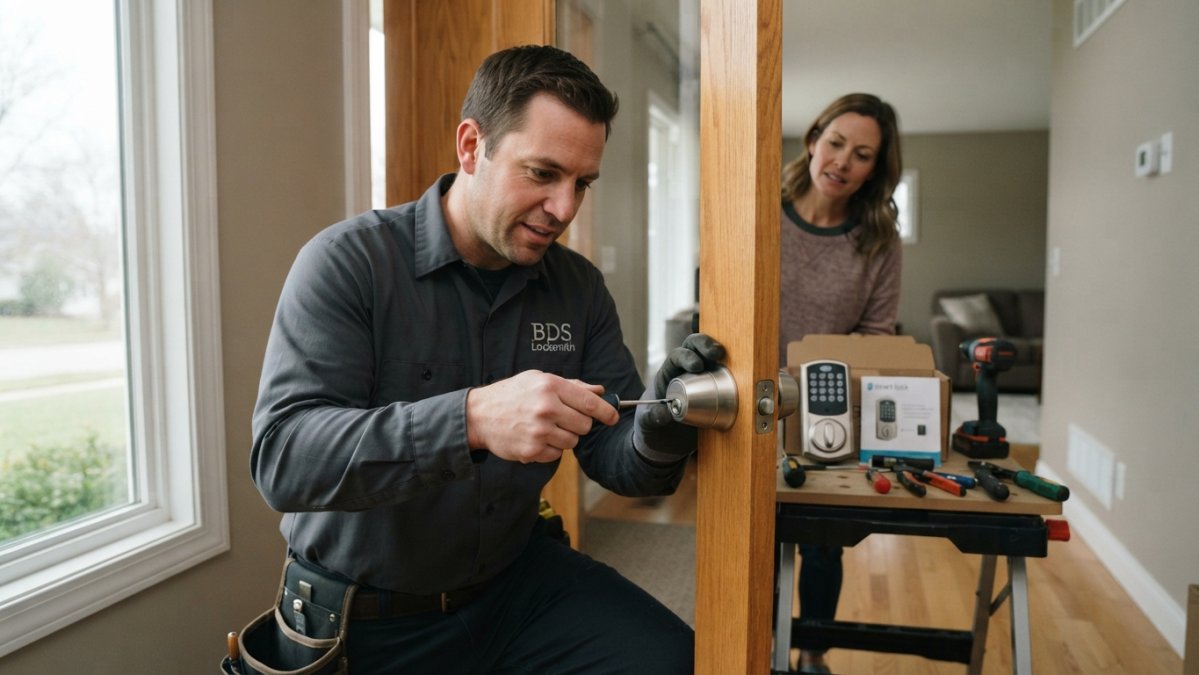
You remove the old lock, install the smart lock cylinder, connect the interior and exterior components, and ensure proper alignment. This takes 30 to 60 minutes depending on door condition and hardware compatibility.
Potential delays:
- Incompatible door frames
- Thick doors requiring extended bolts
- Existing hardware that doesn’t fit the new lock
- Electrical connections needing adjustment
App setup and configuration time
After the lock is physically installed, you need to set up the app, configure user codes, test connectivity, and enable any remote features.
This takes 15 to 30 minutes. Download the app, create your account, pair the lock via Bluetooth, set up access codes, and test everything. If you’re adding multiple users or setting automation schedules, add another 10 to 15 minutes.
Common setup issues:
- Bluetooth connectivity problems in certain locations
- App crashes or slow loading
- Firmware updates needed before pairing
- WiFi integration requiring additional setup
Factors Affecting Lock Installation Time
Installation time is not driven by the lock alone. The door slab, the frame, the existing hardware, and the lock’s complexity each add or subtract minutes in predictable ways. The table below is the fastest way to see where your job likely lands before anyone touches a screwdriver.
| Scenario | Typical time | What drives it |
|---|---|---|
| Retrofit on sound existing holes | 15-30 min | No drilling, hardware compatible |
| Standard deadbolt replacement, same holes | 20-40 min | Cylinder swap, strike plate alignment |
| New deadbolt with fresh drilling | 45-90 min | Hole layout, door material, frame reinforcement |
| Smart lock, physical fit only | 30-60 min | Door thickness, deadbolt compatibility |
| Smart lock, fit plus app and user setup | 45-90 min | Pairing, Wi-Fi or hub, code programming |
| High-security or restricted-keyway lock | 45-90 min | Precision alignment, special tools |
| Master-key system, multiple cylinders | 60-120 min | Keying cylinders to work together |
| Commercial-grade lock or panic hardware | 60-120+ min | Door closer coordination, fire-rating requirements |
Door and hardware conditions that cause delays
Most jobs that run long do so because of the door, not the lock. These are the conditions practitioners see most often, and roughly how much time each adds.
- Misaligned or settled frame (adds 15-30 min). The bolt no longer lines up with the strike plate. The fix is shimming the hinge, adjusting the strike, or filing the bolt, all of which require test-fitting.
- Nonstandard backset (adds 20-40 min). Most residential doors use a 2-3/8-inch or 2-3/4-inch backset. A door drilled to an odd dimension means re-drilling or using an adapter, and the new hole must align with the frame’s strike.
- Damaged or enlarged holes (adds 15-30 min). Old holes that have wallowed out need filling with wood dowels or epoxy and re-drilling, or the new lock will shift under use.
- Thick or reinforced doors (adds 10-30 min). Solid-core, fire-rated, and steel doors take longer to drill and may need longer bolts or through-bolt hardware.
- Incompatible existing hardware (adds 15-45 min). A smart lock that does not match the existing deadbolt’s bolt throw or door prep may require a retrofit kit or a different model entirely.
- Paint, caulk, or corrosion sealing old hardware (adds 10-20 min). Stuck screws and painted-over strike plates slow removal and can strip if forced.
- Multiple prior lock holes (adds 15-30 min). Each abandoned hole must be filled and finished before the new lock sits flush.
Lock type and complexity
Standard pin-tumbler locks are the fastest to fit because the hardware is familiar and tolerances are forgiving. High-security locks with restricted keyways, multiple cylinders, or master-key systems require precise alignment and keying work, which is why they land at the top of the time range. Commercial-grade locks and panic hardware add coordination with door closers and fire-rating requirements, and those checks take time even for an experienced installer.
Number of cylinders and drilling requirements
One cylinder in an existing hole is a 15-30 minute job. Each additional cylinder, and any new drilling, adds time in proportion. As a rough guide:
- Single new hole: 10-20 min
- Two new holes: 15-25 min
- Multiple new holes: 20-40 min
- Reinforced drilling for high-security hardware: 30-60 min
Drilling is slow because it has to be precise. A hole that is off by a fraction of an inch throws off bolt alignment, and correcting it means filling and re-drilling. That is why an experienced installer measures twice and drills once.
Before the installer arrives, measure your door thickness and backset (the distance from the door edge to the center of the hole). Those two numbers tell a locksmith more about your job than a photo of the lock.
How to Install a Door Lock: Step-by-Step Timeline
Most guides describe the steps but never show how the minutes add up. The timeline below is for a standard retrofit on an existing door, the most common residential job, with realistic time ranges for each phase. The point is to show what the estimate actually includes, so you can tell whether a quoted time is realistic for your door.
Step 1: Assess the door and existing hardware (5-10 minutes)
Examine the door frame, the existing lock, and the bolt alignment. Check for damage, warping, or paint sealing the old holes. Test the door swing and frame gaps. A five-minute check here prevents a thirty-minute correction later, because it tells the installer whether the job is a true retrofit or a replacement in disguise.
Step 2: Remove the old lock or prepare for retrofit (5-15 minutes)
If retrofitting, remove the old lock carefully and keep the hardware. If replacing, remove the old lock and clean the holes. Check for rust, debris, or damage. Stuck bolts or corroded screws add time here; penetrating oil and patience can add 10-15 minutes on a neglected door.
Step 3: Drill holes if required (10-20 minutes)
If new holes are needed, mark them carefully and drill at the correct angle. Use a spade bit or hole saw for clean edges. Drilling takes longer on solid wood or reinforced doors; thin or hollow-core doors drill quickly. Angled drilling for proper bolt alignment adds time, and a mis-drilled hole means filling and starting over.
Step 4: Install the lock cylinder and hardware (10-15 minutes)
Insert the cylinder, align the bolt, and secure the interior and exterior components. Ensure proper fit and smooth operation. Test the bolt movement multiple times and check that it fully extends and retracts. Adjust as needed before moving on.
Step 5: Test and align the lock (5-10 minutes)
Lock and unlock the door multiple times. Check bolt alignment with the strike plate and adjust the strike plate if the bolt does not align perfectly. Test from both sides, verify the deadbolt engages fully, and confirm the door closes smoothly without binding.
Total time for standard retrofit: 35-70 minutes.
Where the time actually goes: fitting versus setup
The timeline above covers physical fitting only. For smart locks, the job is not done when the hardware is mounted. A realistic split looks like this:
- Physical fitting: 30-60 minutes (remove old lock, mount new hardware, align bolt and strike)
- App pairing and account setup: 5-10 minutes
- Wi-Fi or hub configuration: 5-10 minutes
- User codes and automation: 5-15 minutes
- Testing and troubleshooting: 5-15 minutes
That is why a smart lock quote of “about an hour” can stretch to ninety minutes or more. The physical lock is the easy part; the setup is where the variance lives.
Safety and quality checks after installation
Speed matters less than a lock that works every time. Before the installer leaves, confirm these checks:
- The latch and deadbolt align with the strike plate without forcing the door.
- The bolt extends fully and retracts smoothly from both sides.
- Every key or code works, including the backup key on a smart lock.
- The door closes and latches without binding or rubbing.
- The hardware is snug with no wobble at the cylinder or handleset.
A job that skips these checks may look finished but fail within weeks. The five minutes spent testing are part of the estimate, not an extra.
Retrofit Installation Versus Full Replacement: Time Differences
Retrofit installation uses existing holes and hardware. Full replacement means new holes and sometimes new hardware. The time difference is significant.
Retrofit installation (15-45 minutes):
- No drilling needed
- Uses existing holes
- Minimal door preparation
- Best for: Quick upgrades, moving to a compatible lock
Full replacement (45-120 minutes):
- New holes may be required
- Old holes filled or sealed
- Door preparation and potential reinforcement
- Best for: Major security upgrades, changing lock type
Retrofit saves 30 to 75 minutes because drilling is eliminated. Full replacement gives you flexibility in lock placement and type, but costs time.
If your door has multiple old holes from previous locks, filling and sealing them adds 15 to 30 minutes before the new installation even starts.
Door Preparation and Drilling: How They Affect Installation Time
Door preparation determines whether installation stays on schedule or stretches into hours.
Minimal preparation (under 15 minutes):
- Clean, well-maintained door
- Solid wood or metal frame
- No damage around lock area
- Existing holes in good condition
Moderate preparation (15-30 minutes):
- Paint or caulk sealing old holes
- Minor frame gaps or misalignment
- Corroded or stuck hardware
- Worn strike plate needing replacement
Extensive preparation (30-60+ minutes):
- Damaged wood around lock area
- Warped or settled door frame
- Multiple old holes requiring filling
- Structural reinforcement needed
Drilling new holes adds 10 to 40 minutes depending on door material and hole count. Solid wood takes longer than hollow-core. Reinforced doors for high-security locks take the longest.
Professional Installation Versus DIY: Time and Quality Considerations
Professional locksmiths complete installations faster because they have the right tools, experience recognizing delays, and expertise solving problems on the spot.
DIY installation typically takes 1.5 to 3 times longer because:
- Learning the process as you go
- Troubleshooting alignment issues
- Adjusting for door-specific problems
- Testing multiple times to ensure quality
Professional advantages:
- Proper tools eliminate guesswork
- Experience prevents common mistakes
- Warranty on workmanship
- Quality assurance and testing
- Same-day completion
At BDS Locksmith, we arrive with the right equipment and experience to handle unexpected door or hardware issues. We provide free estimates so you know the timeline upfront. Our licensed, bonded, and insured team ensures the job is done right the first time.
If your door has been problematic in the past (sticking, difficult to lock, or multiple previous lock installations), tell the locksmith upfront. That context helps them anticipate delays and plan accordingly.
Preparation Checklist for Faster Lock Installation
Prepare your door and space before the locksmith arrives to minimize delays.
Before installation:
- Clear the area around the door
- Remove any obstacles near the lock
- Ensure good lighting on both sides of the door
- Have the old key available if needed
- Note any door issues (sticking, warping, gaps)
- Confirm the new lock type and specifications
- Check that the door closes smoothly
- Note any recent repairs or paint near the lock
Communication:
- Describe the door condition to the locksmith
- Mention any previous lock problems
- Ask about the expected timeline upfront
- Confirm whether drilling will be needed
- Discuss any special requirements or preferences
A prepared space and clear communication cut installation time by 10 to 15 minutes.
How long does a lock installation take? For most residential doors, expect 30 minutes to 90 minutes depending on the lock type and door condition. Retrofit installations on existing hardware are fastest. Full replacements with new drilling take longer. Smart locks add setup time after physical installation.
BDS Locksmith handles residential and commercial lock installations throughout the South Bay Area with same-day availability and competitive pricing. We provide free estimates so you know the timeline and cost before we start. Our licensed, bonded, and insured team ensures proper installation, alignment, and testing. Call (408) 300-4369 for a free estimate or to schedule your installation today. Ask about our 5% military discount for active service members and veterans.
Frequently Asked Questions
How long does it take to install a standard door lock?
A standard lock installation typically takes 15 to 30 minutes for a retrofit (fitting a new lock into existing holes) and 30 to 60 minutes for a full replacement that requires new drilling. The time depends on whether the door already has the correct holes and the condition of existing hardware. Professional locksmiths can complete most standard installations within an hour.
What factors can make lock installation take longer?
Several factors affect lock installation time: door material (metal doors take longer than wood), existing hardware damage requiring repair, misaligned holes needing adjustment, lock complexity (high-security locks require more precision), and the need for additional drilling. Older doors with worn hardware or doors that have been previously modified often add 15 to 30 minutes to the installation.
How long does it take to install a smart lock?
Physical smart lock installation takes 30 to 60 minutes, similar to a standard deadbolt. However, add an additional 15 to 30 minutes for app setup, pairing with your smartphone, and configuring access codes or remote features. Total time from arrival to full operation typically ranges from 45 minutes to 90 minutes, depending on your technical comfort level and the lock’s complexity.
Is lock installation faster if I already have the correct door holes?
Yes, significantly faster. Retrofit installations (fitting a lock into existing correctly-sized holes) take just 15 to 20 minutes. If holes need to be drilled, adjusted, or enlarged, installation time jumps to 45 to 90 minutes. Ensuring your door has the proper 2-1/8-inch hole spacing before scheduling installation can reduce your total time by half.