Table of Contents
- Are Smart Locks Safe for Apartments? The Core Security Question
- Smart Lock vs. Traditional Deadbolt: What Renters Should Know
- Smart Lock Security Risks You Need to Understand
- Smart Lock Battery Backup and Power Failure Scenarios
- Installing a Smart Lock on an Apartment Door: Renter Permissions and Compatibility
- Keyless Entry Methods: Keypad, Mobile App, and Backup Keys
- Emergency Access and Property Manager Requirements
- Smart Lock Reliability: What Happens When Things Go Wrong
- Apartment-Specific Smart Lock Security Checklist
- Frequently Asked Questions
Last Updated: October 21, 2026
Are Smart Locks Safe for Apartments? The Core Security Question
Are smart locks safe for apartments? Yes, but with important caveats. Smart locks offer real security benefits for renters when you choose the right model and understand both the strengths and vulnerabilities. The key is matching the lock’s capabilities to your specific situation, your lease terms, your door type, your building’s requirements, and your comfort level with technology.
Many renters assume smart locks are either universally safe or inherently risky. The reality is more nuanced. A quality smart lock installed on a compatible door with landlord approval can be more secure than a traditional deadbolt. But a poorly chosen model on an incompatible door, without proper backup systems, can leave you vulnerable.
This guide addresses those real concerns head-on.
Smart Lock vs. Traditional Deadbolt: What Renters Should Know
A traditional deadbolt is a mechanical lock operated by a physical key. A smart lock is an electronic lock that opens via keypad, mobile app, Bluetooth, or Wi-Fi. Both can be secure, but they work differently and carry different trade-offs.
Traditional deadbolts have been the apartment standard for decades. They’re simple, reliable, and require no power. If the mechanism fails, a locksmith can open it. They don’t store access logs or transmit data. But they also require you to carry a physical key, and if you lose it, you need to rekey the entire lock.
Smart locks eliminate the physical key problem. You can grant temporary access codes to guests without duplicating keys. You can lock and unlock remotely. You get access logs showing who entered and when. But they depend on batteries, connectivity, and software. If the battery dies, you’re locked out unless you have a backup key. If the app crashes, you can’t unlock remotely. If the manufacturer goes out of business, you might lose remote access features.
For renters specifically, smart locks solve a major pain point: you can restore the original lock when you move out, leaving no trace of your modifications. A smart lock can simply be removed and replaced.
Before choosing between smart and traditional, check your lease. Some landlords explicitly forbid smart locks. Others allow them only if you restore the original lock before moving. A few actively encourage them for building-wide access control. Knowing your lease terms first saves time and conflict.
Smart Lock Security Risks You Need to Understand
Smart locks introduce security considerations that traditional locks don’t have. Understanding these risks helps you evaluate whether a specific model is right for your apartment.
Cybersecurity vulnerabilities and hacking
Smart locks communicate via Bluetooth, Wi-Fi, or both. That communication can theoretically be intercepted. A hacker with the right tools could potentially capture your unlock signal and replay it to gain entry. In practice, modern smart locks use encryption and rolling codes to prevent this. But the vulnerability exists in a way that a mechanical lock simply doesn’t.
The bigger cybersecurity risk isn’t usually a sophisticated hacker targeting your apartment. It’s a poorly designed app or a manufacturer that doesn’t update the lock’s firmware. If a security flaw is discovered and the company doesn’t patch it quickly, your lock remains vulnerable. Some budget smart locks have been found with hardcoded default passwords or unencrypted communication.
Check the manufacturer’s track record. Do they release security updates regularly? Do they have a responsible disclosure policy? Do security researchers trust them? These signals matter more than the lock’s marketing claims.
Physical resistance and forced entry
A smart lock is only as strong as its physical hardware. The lock cylinder, strike plate, and door frame all matter. A cheap smart lock with a weak cylinder can be forced open as easily as a cheap traditional deadbolt. The electronic part doesn’t add security if the physical part fails.
Quality smart locks use hardened steel cylinders and reinforced strike plates. They’re tested against forced entry the same way traditional locks are. But you need to verify this. Marketing materials often gloss over physical durability. Look for locks that have been tested against drilling, bumping, and prying.
One advantage of smart locks: the electronic mechanism can resist some attacks that would work on a traditional lock. A smart lock can detect multiple failed unlock attempts and lock down. A traditional lock can’t.
Privacy concerns from access logs
Every time someone unlocks your smart lock, that event is recorded. The manufacturer’s server knows when you left, when you came home, and who else accessed the door. If the manufacturer is compromised, that data could be exposed. If the manufacturer is sold or goes out of business, your data might be sold with it.
For renters, this is especially concerning. Your access logs could reveal patterns about your schedule, your guests, your habits. If your building manager has access to the logs, they know exactly when you’re home and when you’re away.
Read the manufacturer’s privacy policy carefully. Where are logs stored? How long are they kept? Can the manufacturer sell or share them? Can your landlord access them? Some smart locks let you control this. Others don’t.
If you’re renting and value privacy, choose a smart lock that stores access logs locally on the device, not in the cloud. Cloud-based logs are convenient for remote access, but they create a permanent record that you can’t fully control.
Smart Lock Battery Backup and Power Failure Scenarios
Smart locks run on batteries. When the battery dies, the lock stops working. This is the single biggest concern renters raise. What if I’m locked out because the battery died?
Most quality smart locks use AA or AAA batteries that last 6-12 months depending on usage. The lock sends low-battery alerts via the app before the battery dies. If you pay attention to those alerts, you’ll never be locked out.
But “if you pay attention” is doing a lot of work. If you ignore the alert or your phone is off when the alert arrives, you could miss it. If you’re away from home when the battery dies, you’re stuck.
This is where backup keys matter. Every smart lock should come with a physical key backup. If the battery dies, you can use the key to unlock it. The catch: you need to carry that key with you or keep it accessible. Some renters hide a backup key at their apartment. Others give it to a trusted neighbor. The point is, you need a plan before the battery dies.
Some smart locks have a backup power option. You can connect an external battery pack to the lock’s charging port to power it temporarily. This gives you time to replace the batteries or call a locksmith. Not all models have this feature, so check before you buy.
If you live in a building with a property manager, they might be willing to keep a backup key. This is worth asking about. Many property managers appreciate having a secure way to access units in emergencies.
Installing a Smart Lock on an Apartment Door: Renter Permissions and Compatibility
Installing a smart lock on an apartment door requires two things: permission from your landlord and a compatible door. Get both wrong and you’ll face conflict, damage deposits, or a lock that doesn’t work.
Getting landlord approval and lease terms
Your lease almost certainly says you can’t modify the apartment without permission. Installing a smart lock counts as a modification. Some landlords will say no immediately. Others will say yes with conditions. A few will encourage it.
The key is to ask in writing. Send an email explaining what lock you want to install, why, and how you’ll restore the original lock when you move out. Attach the product specifications. Give the landlord time to respond. If they say no, don’t install it anyway. That’s a lease violation and grounds for eviction.
If the landlord says yes, get that approval in writing too. Save the email. When you move out, you’ll need to prove you had permission to install it.
Most landlords who approve smart locks do so because they want the ability to access units in emergencies. Clarify whether the landlord wants access to the lock’s app or a backup key. Some want both. This is worth negotiating upfront.
Door compatibility and retrofit options
Not all apartment doors work with smart locks. Smart locks are designed for standard residential doors with a 1 3/8-inch to 1 3/4-inch thickness. Thicker doors, fire-rated doors, or doors with unusual hardware might not be compatible.
Before you buy a smart lock, measure your door. Check the existing deadbolt. If it’s a standard deadbolt in a standard door, a smart lock will probably work. If your door is unusual, take a photo and ask the manufacturer or a locksmith whether it’s compatible.
Some apartment doors have a keyed deadbolt on the outside and a thumbturn on the inside. Smart locks designed for this setup exist, but they’re less common. If your door has this configuration, you’ll have fewer options.
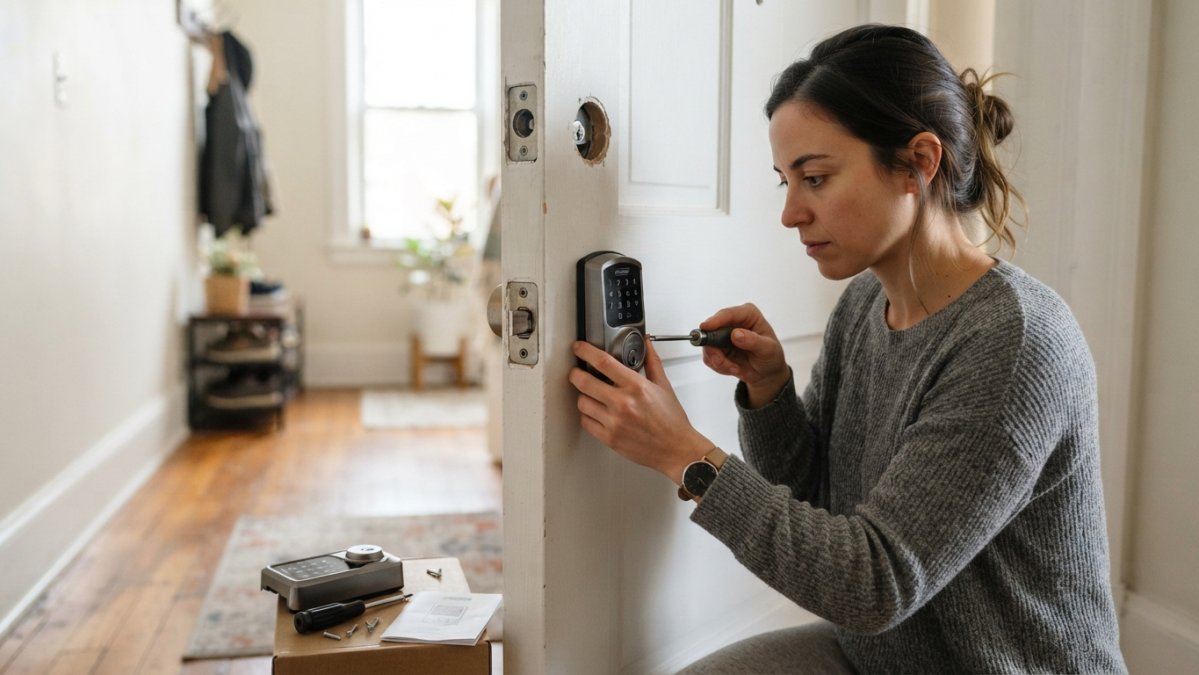
Non-destructive installation is possible. Most smart locks replace the interior side of the deadbolt without touching the exterior. This means you can remove the smart lock and reinstall the original deadbolt when you move out. No damage, no landlord conflict.
But some smart locks require drilling into the door or frame. Avoid these unless your landlord explicitly approves. Drilling leaves permanent marks that damage deposits won’t cover.
Renters in standard apartment buildings with basic deadbolts and landlord approval. Non-destructive retrofit smart locks work best here because they leave the door unchanged when removed.
Keyless Entry Methods: Keypad, Mobile App, and Backup Keys
Smart locks offer multiple ways to unlock the door. Understanding each one helps you choose a lock that fits your lifestyle.
Keypad entry means you enter a code on the lock’s physical keypad. No app, no Bluetooth, no internet required. This works even if your phone is dead or out of range. The downside: anyone who sees you enter the code knows it. If you share the code with a guest, they can use it indefinitely unless you change it.
Mobile app entry means you unlock the door from your phone. This is convenient for remote access. You can unlock the door for a delivery person or a guest without being home. But it requires the lock to have Wi-Fi or Bluetooth connectivity. If your phone dies or you forget it, you can’t unlock remotely.
Temporary codes are a major advantage of smart locks. You can create a code that works only on specific dates or times. Give a guest a code that works Friday evening through Sunday morning. Give a cleaner a code that works only during business hours on Wednesdays. When the time window closes, the code stops working automatically. No need to change the lock.
Backup keys are essential. Every smart lock should have at least one physical key that works if the battery dies or the electronic mechanism fails. Some locks come with two backup keys. That’s better. Keep one with you and one in a secure place.
The best smart locks offer all three entry methods: keypad, app, and backup key. This gives you flexibility. If one method fails, you have options.
Emergency Access and Property Manager Requirements
If you live in a multi-unit building, the property manager needs emergency access. They might need to enter your unit for maintenance, emergency repairs, or safety checks. This creates tension with privacy and security.
Some buildings have a master key system. The property manager carries a key that opens all units. If you install a smart lock, you need to give the property manager a way to unlock it. Options include a backup physical key, a permanent access code, or remote access via the manufacturer’s app.
Talk to your property manager before installing a smart lock. Clarify what access they need, how often they might need it, and what method they prefer. Some property managers want a physical key. Others want app access. A few are fine with a permanent access code.
If the building has a security system or emergency lockdown procedures, the smart lock needs to be compatible. Some buildings require that emergency doors lock automatically during certain conditions. A smart lock needs to support this.
Document the access method in writing. If the property manager has a backup key, keep a record of when it was given and to whom. If they have a permanent access code, write it down and store it securely. This prevents disputes later.
Smart Lock Reliability: What Happens When Things Go Wrong
Smart locks are electronic devices. They fail sometimes. Understanding failure modes helps you prepare.
Battery failure is the most common issue. The battery dies faster than expected, or the lock doesn’t alert you before it’s dead. You’re locked out. Solution: replace the battery immediately. Keep spare batteries on hand. Check the battery level monthly via the app.
App crashes happen. The manufacturer’s server goes down, or the app has a bug. You can’t unlock remotely. But you can still unlock via the keypad or backup key. This is why multiple entry methods matter.
Connectivity loss means the lock can’t reach the internet. It might still work locally via Bluetooth, but remote access won’t work. If the lock relies on Wi-Fi and your building’s internet is down, you’re stuck with the keypad or backup key.
Mechanical failure is rare but possible. The lock’s internal mechanism breaks. The deadbolt jams. The keypad stops responding. At this point, you need a locksmith. This is why backup keys and professional locksmiths are important.
Manufacturer abandonment is a long-term risk. The company stops supporting the lock, stops releasing security updates, or goes out of business. If you depend on the app for remote access, you might lose that feature. This is why you should research the manufacturer’s stability before buying.
The best protection against failure is redundancy. Have a backup key. Have multiple entry methods. Have a locksmith you trust who can help if the lock fails completely.
Apartment-Specific Smart Lock Security Checklist
Before installing a smart lock in your apartment, work through this checklist:
- Lease approval: Get written permission from your landlord
- Door compatibility: Confirm your door is standard thickness and has a compatible deadbolt
- Non-destructive installation: Choose a lock that doesn’t require drilling or permanent modifications
- Backup key: Ensure the lock comes with at least one physical backup key
- Battery life: Verify the lock’s batteries last at least 6 months
- Low-battery alerts: Confirm the app sends alerts before the battery dies
- Multiple entry methods: Choose a lock with keypad, app, and backup key options
- Temporary codes: Verify you can create time-limited codes for guests
- Privacy settings: Check where access logs are stored and who can see them
- Property manager access: Decide how the property manager will access the lock in emergencies
- Manufacturer reputation: Research the company’s track record for security updates and customer support
- Restore plan: Know exactly how you’ll remove the lock and restore the original deadbolt when you move out
Installing a smart lock in an apartment is a practical decision that works well when you’ve done the groundwork. The real security risk isn’t the lock itself, it’s installing it without landlord approval, choosing an incompatible model, or ignoring backup systems. When you plan carefully and choose a quality lock, a smart lock can be more secure and more convenient than a traditional deadbolt. If you’re unsure about installation, compatibility, or whether your lease allows modifications, BDS Locksmith can evaluate your door, advise on the best options, and handle installation professionally. Call us at (408) 300-4369 for a free estimate and expert guidance on securing your apartment safely.
Frequently Asked Questions
Can I install a smart lock on my apartment door without landlord permission?
No. Most leases require landlord approval before installing any lock modifications. Installing a smart lock without permission can violate your lease and result in eviction. Always check your lease terms and contact your landlord or property manager before purchasing or installing a smart lock. Many landlords now accept smart locks if they allow restoration of the original lock when you move out.
What happens if a smart lock’s battery dies and I’m locked out?
Most smart locks include a backup key override and low-battery alerts before complete failure. However, if the battery dies completely and you have no backup access method, you could be locked out. Quality smart locks offer 6-12 months of battery life with proper maintenance. Always keep a physical backup key accessible outside the lock, and test your battery alerts monthly to avoid emergency lockout situations.
Are smart locks harder to break into than traditional deadbolts?
Smart locks vary widely in security. High-quality smart locks with encryption and tamper resistance can match or exceed traditional deadbolts, but cheaper models may be vulnerable to hacking or physical bypass. The physical lock cylinder and strike plate quality matter as much as the digital components. For apartments, choose locks with certified security ratings and reinforced hardware.
Can a smart lock work without Wi-Fi or Bluetooth?
Yes. Many smart locks operate on Bluetooth alone for keypad or app access without requiring Wi-Fi. However, remote access from outside your apartment requires Wi-Fi or cellular connectivity. Keypad and physical backup key access work independently of any network. For apartments, a lock with both local (Bluetooth/keypad) and optional remote access offers flexibility and reliability if your internet goes down.